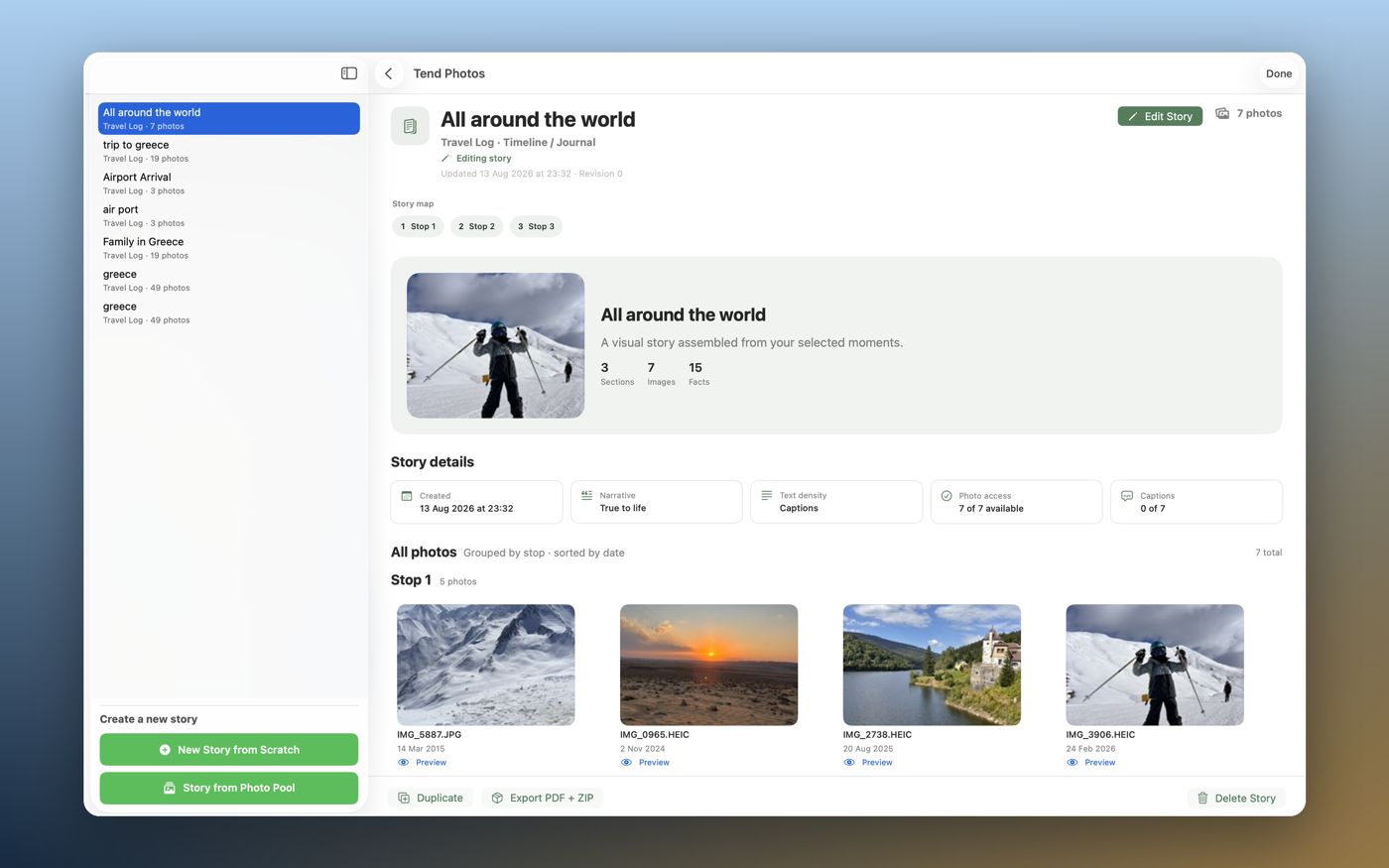
Tend Photos cleans up your iCloud Photos library — it finds duplicates, blurry frames, and clutter, points to the best shot in every burst, and frees up storage. All on your device, and nothing is deleted until you approve it.
0.0GB ready to reclaim · from letting go of 5 near-duplicates
№ 02 · The method
More than a duplicate photo finder.
Tend reads your library the way a careful editor would — grouping, scoring, and explaining, so every decision is yours and informed.
Find every duplicate, automatically.
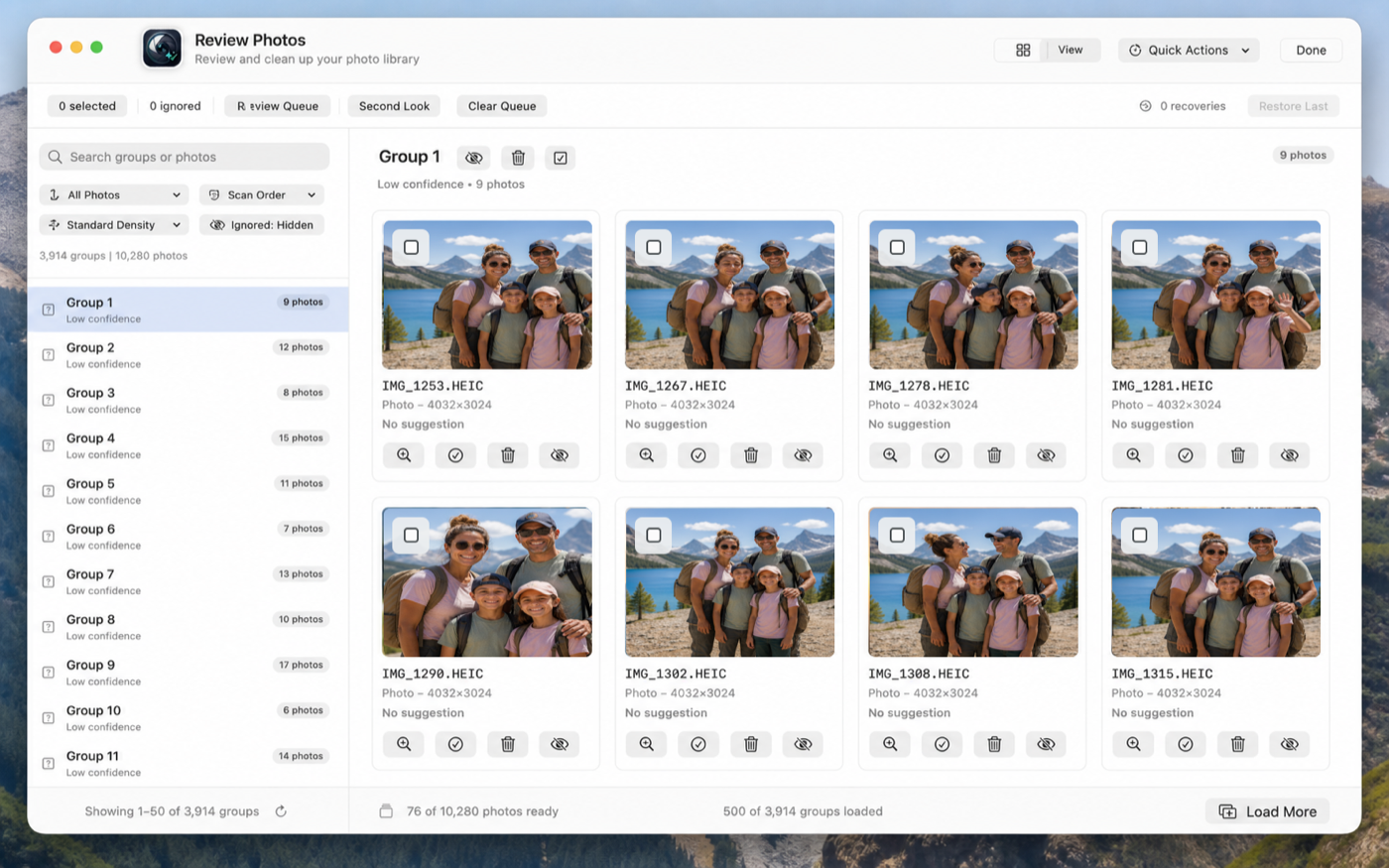
Tend scans your entire iCloud Photos library for exact and near-duplicates — burst shots, re-saved edits, accidental imports — and groups them side by side so you see exactly what you have and how much you can free up.
Know which shot to keep.
Quality scoring weighs sharpness, exposure, and resolution across every group and recommends the best photo to keep. You can always override it — Tend gives you information, not orders.
Your approval, every single time.
Nothing changes until you say so. No auto-delete, no background cleanup, no surprises. Every deletion takes a typed confirmation, and every action is logged so you always know what changed.
Enhance without touching originals.
Adjust brightness, contrast, and sharpness, or apply filter presets. Tend saves an enhanced copy alongside your original — which is never modified. Non-destructive, always reversible.
See your whole library clearly.
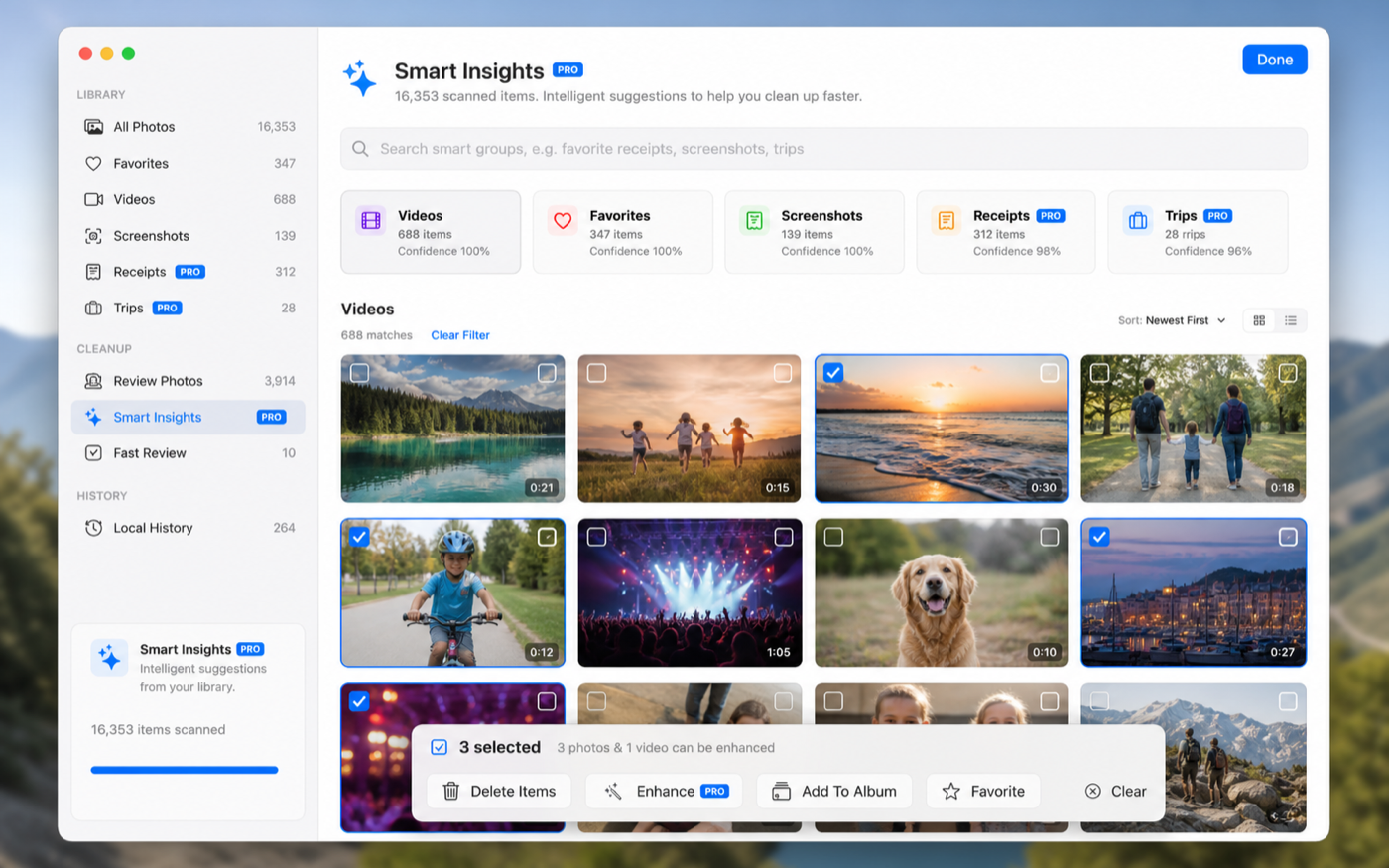
Smart Insights sorts your photos into screenshots, documents, landscapes, people, pets, food, and more — and lets you search in plain language, like “receipts from last year” or “beach photos from 2023.”
Everything, on day one.
The full toolkit is free — no locked core features, no usage caps.
Captured from the running app — the same experience across Mac, iPad, and iPhone.
Find every duplicate, side by side.See your whole library by type and scene.Review fast — keep the best, let go of the rest.Nothing is deleted until you type DELETE.
№ 04 · Story Mode
Turn your photos into a story.
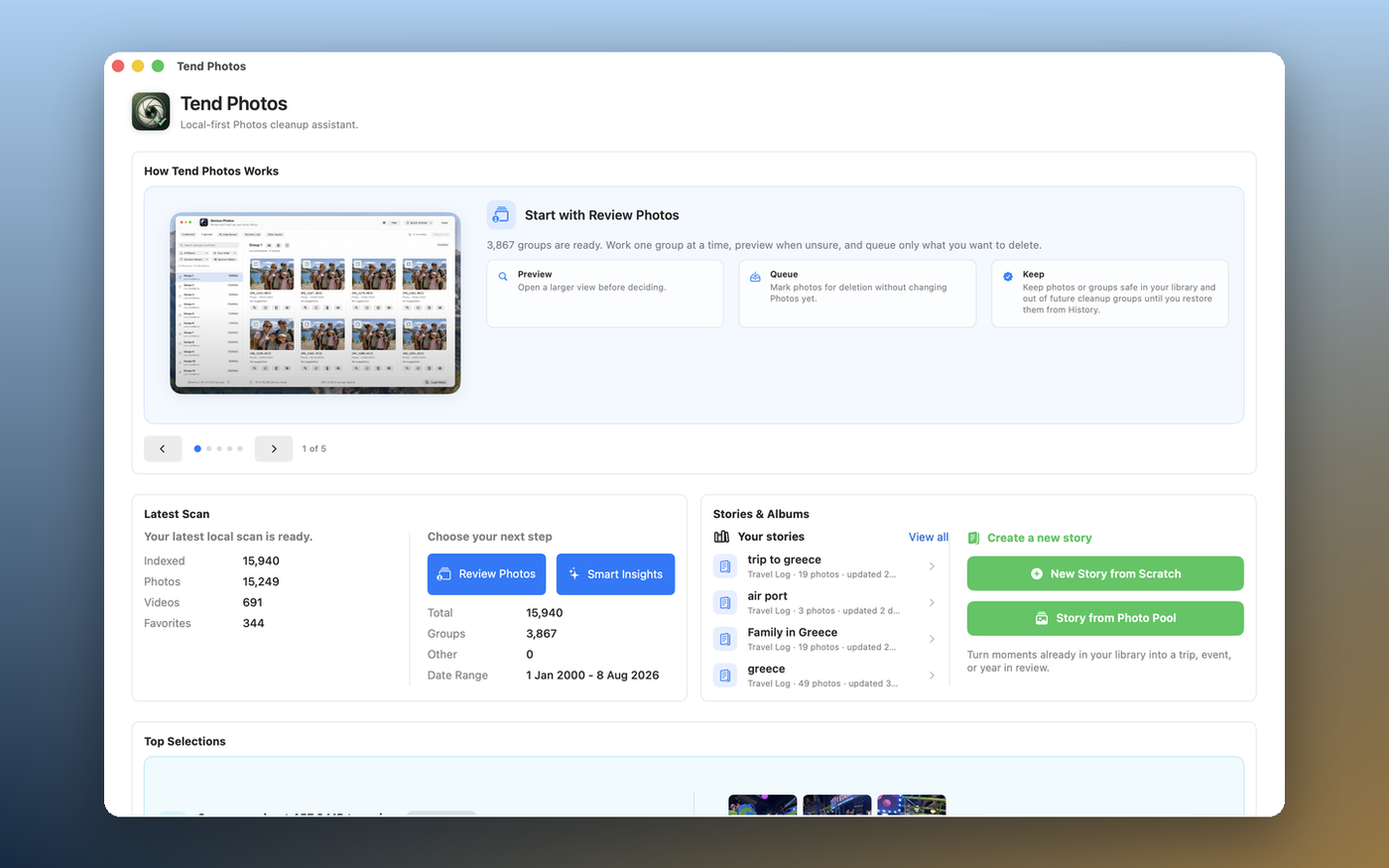
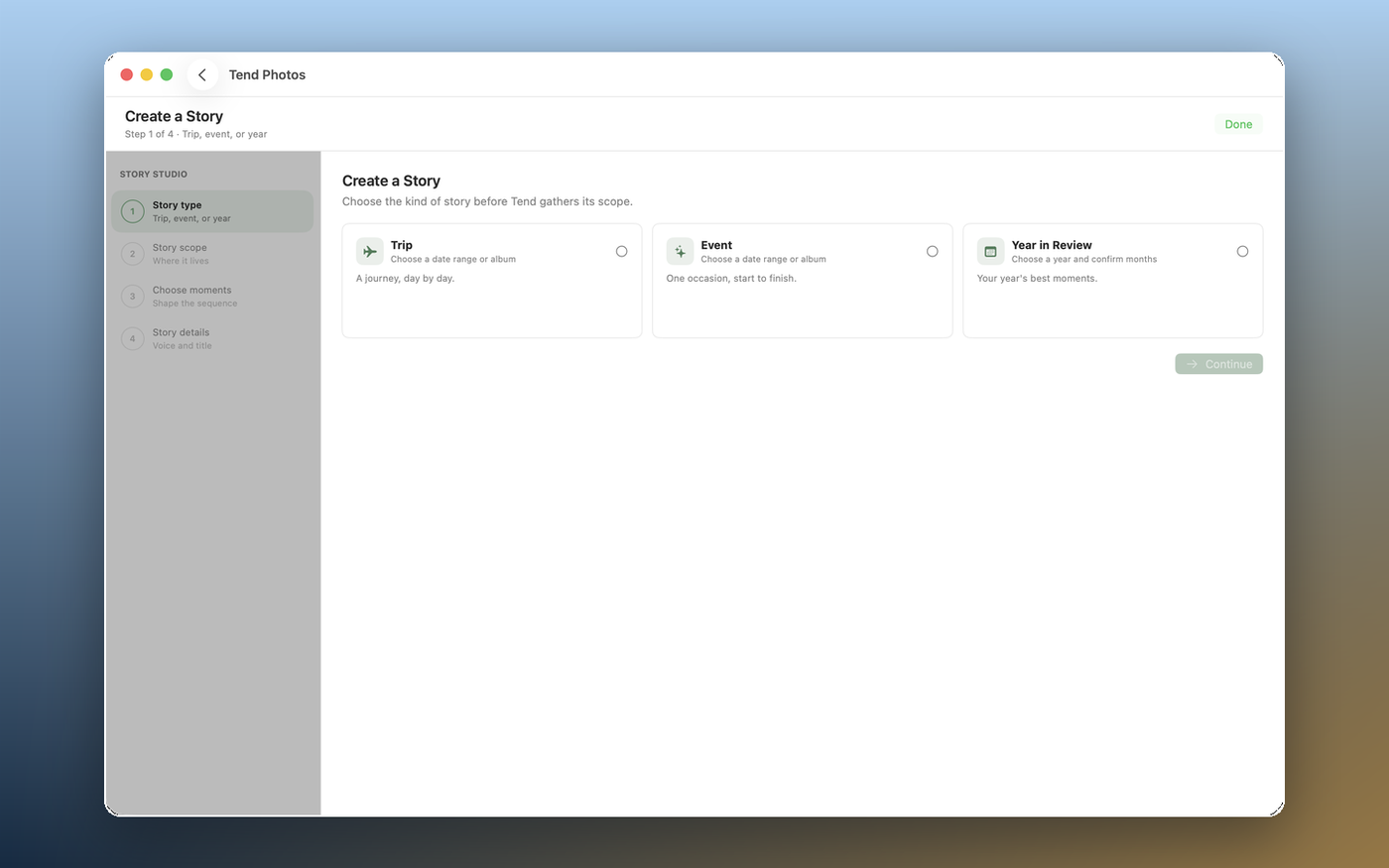
Pick a story type — Trip, Event, or Year in Review — and Tend gathers your best photos into a story for you, already grouped into chapters. Review every choice in the Reveal, restore anything Tend set aside, dial in how much text you want, and export a print-ready PDF with your full-resolution originals. Free during this release, on Mac, iPad, and iPhone. See how Story Mode works →
Start a story right from your dashboard.Pick a story type — Trip, Event, or Year in Review.Export a print-ready story in minutes.
Every Apple device
Made for Mac, iPad, and iPhone.
One app, one Universal Purchase — clean up on the big screen, tidy on the couch, or free space on the go.
Tend analyzes your iCloud Photos library on-device — no uploading, no waiting. A fast local scan finds duplicates, near-duplicates, and quality differences across your whole collection.
2
Review
Browse your groups side by side, see the keeper recommendation for each, and make your own calls about what stays and what goes.
3
Approve
Select photos, review your choices, type “DELETE” to confirm, and Tend handles the rest — every action logged, nothing changed without your explicit sign-off.
№ 06 · Privacy
Your photos never leave your device.
Every scan, every quality score, every duplicate comparison happens locally with Apple’s PhotoKit — no photos, no metadata, and no filenames are sent anywhere. There’s no account to create, no server touching your images, and no third party in any part of the analysis. You grant Photos access on first launch, and it’s used only on your device, only while you’re using Tend.
No ads. No tracking. Ever. On any plan, free or PRO, across Mac, iPad, and iPhone.
№ 07 · What tending grows
Cleanup is only the first season.
Tending is caring — for your library and the memories in it. Clearing the clutter is where Tend starts, not where it ends. Next, it helps you make something with the photos worth keeping.
● Now · Tend
Clear the clutter
Find duplicates, blurry shots, and screenshots, keep the best of every group, and free up storage — safely.
● Now · Stories
Make a story
Turn a trip or a whole year into a story worth revisiting — gathered and arranged for you, from the shots you kept. See how it works ↓
○ Later · Keepsakes
Keep something real
Books, prints, and gifts made from your best photos — the memories worth holding, off the screen and in your hands.
№ 08 · Free
Tend Photos is free.
No subscription, no monthly fees, no catch — just download it and start tending your library.
Tend PhotosFree
Duplicate and near-duplicate detection across your full library
Quality scoring and keeper recommendations for every group
Safe deletion with typed confirmation and full action history
 Tend Photos